Built with harbour masters
Today in the harbour
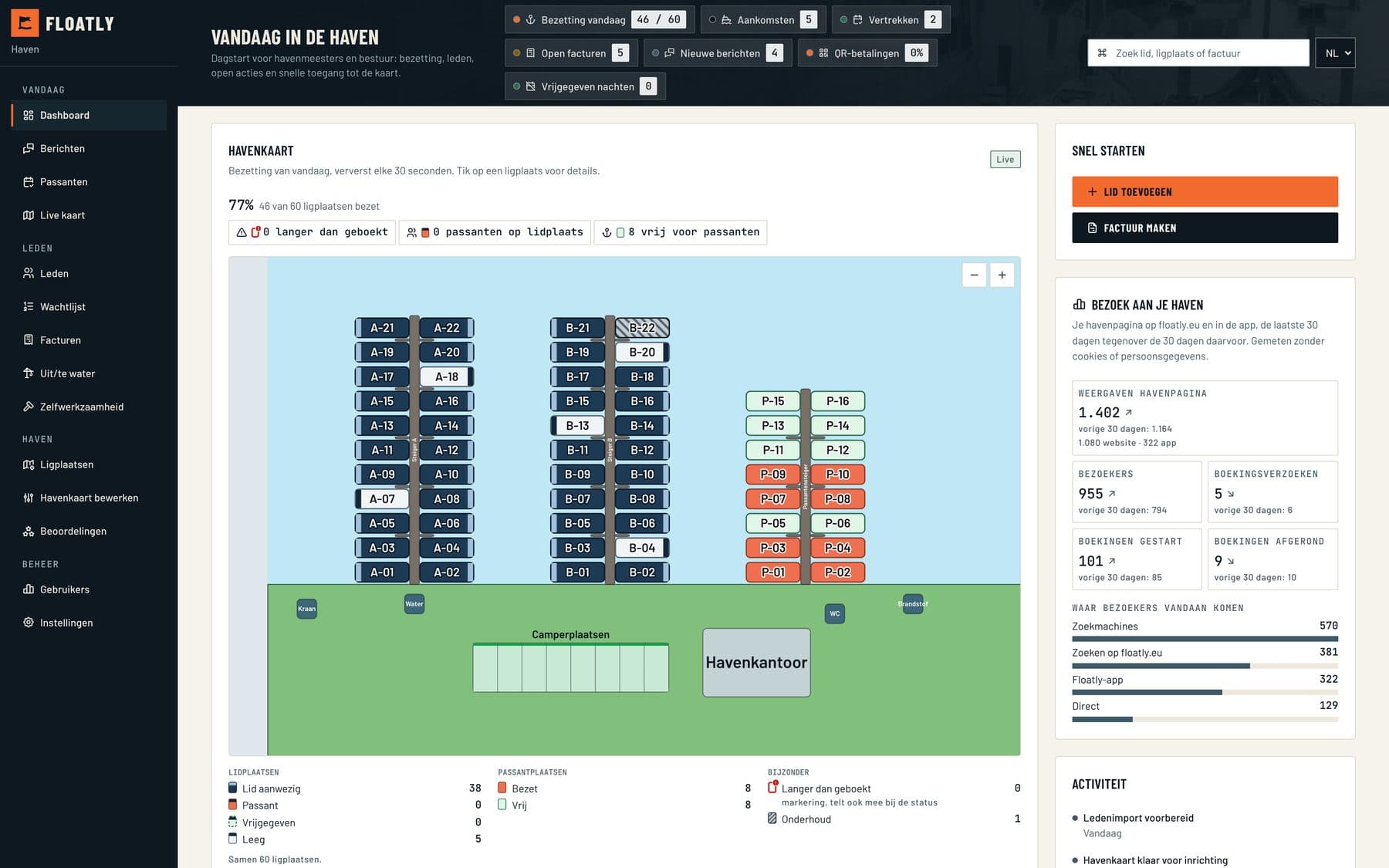
The harbour master starts the day on the dashboard. The map shows which berths are taken and refreshes every 30 seconds. Arrivals, departures, open invoices and new messages are at the top. It also works on a tablet or phone.
01 / Harbour map
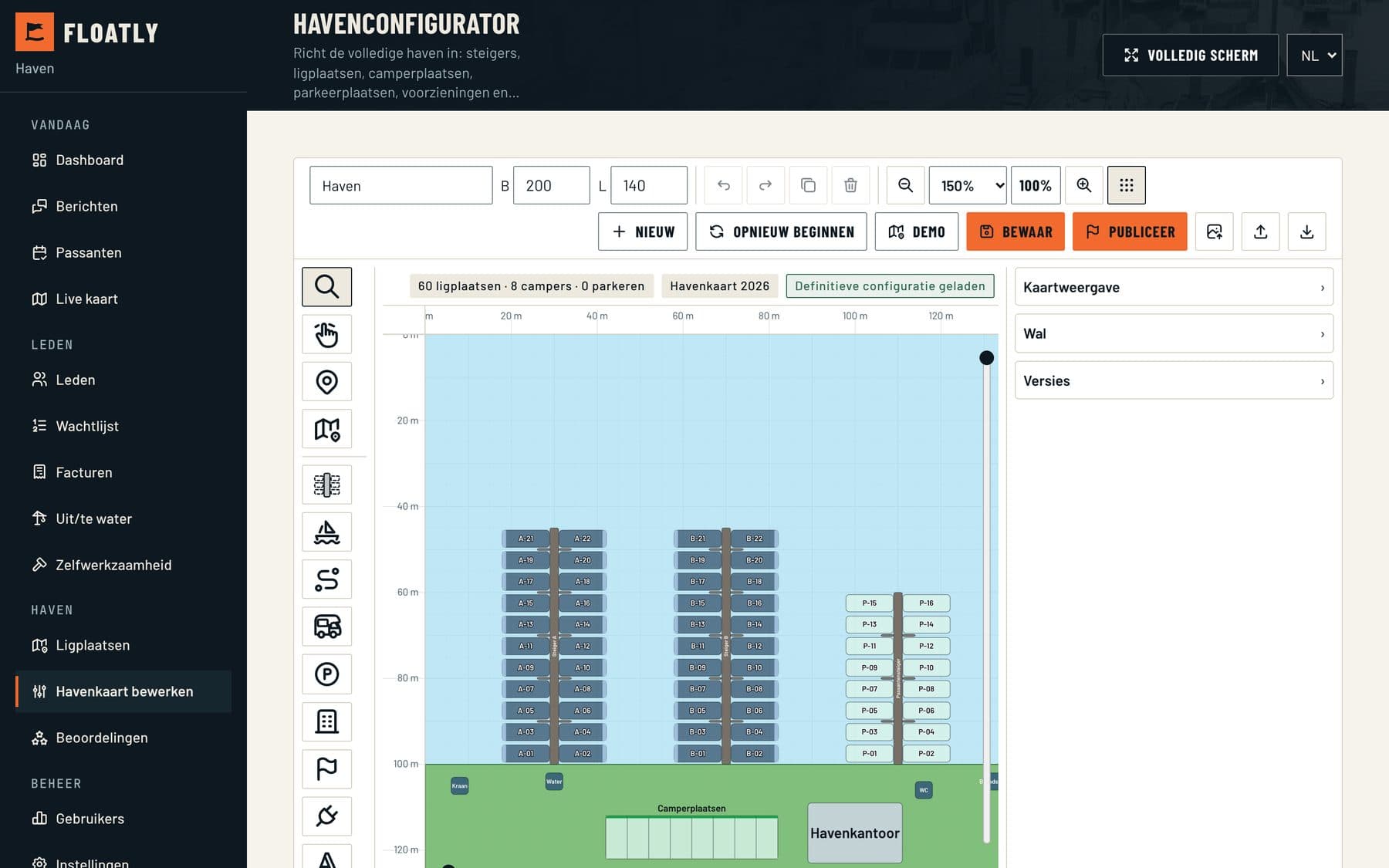
The map comes from your own plan
Upload the harbour plan as a PDF or photo. For Dutch harbours Floatly can also fetch an aerial photo itself. From that we make a first version with jetties and berths, which you check and straighten out in the editor. After that the map shows who is where and what is free.
02 / Members
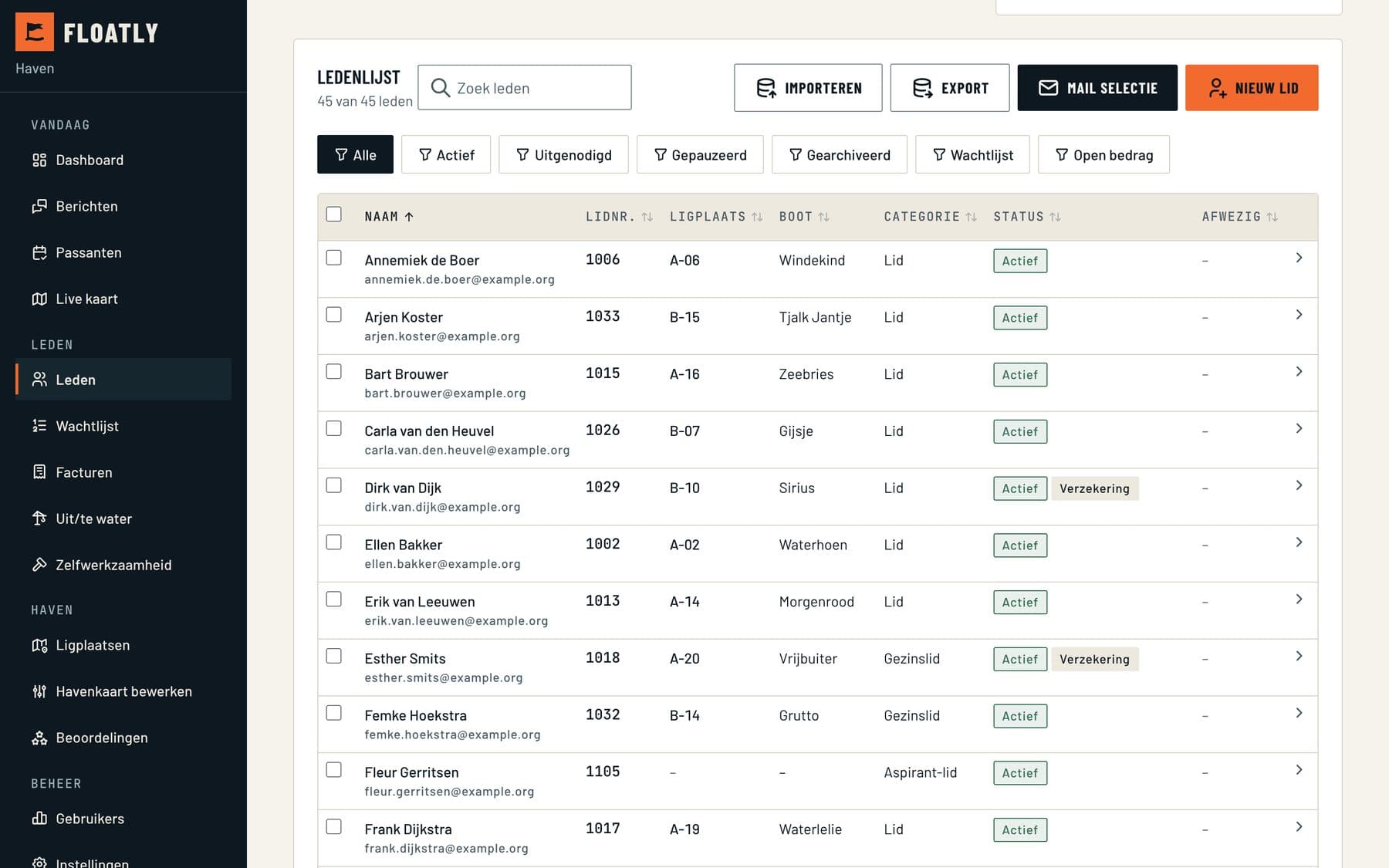
Start with the member list you already have
Export your members from e-Captain, 1Stalling, Conscribo or Excel and read in the file. Floatly suggests where each column belongs. You check it before anything is saved. Members then log in with a link in their email and see their own berth and invoices.
03 / Visitors
Visitors pay in advance
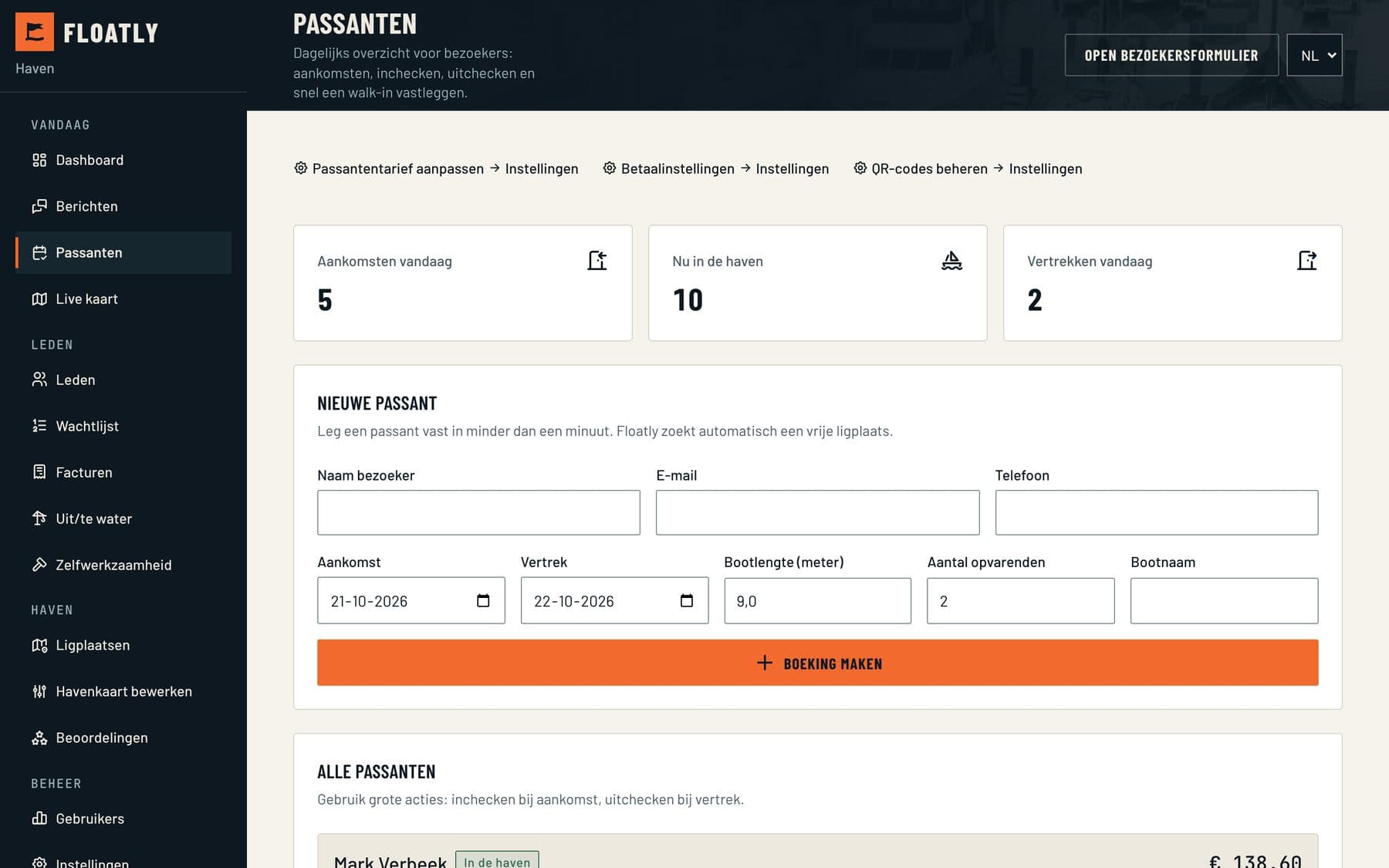
Skippers find your harbour on floatly.eu or in the app, choose their nights and pay online. The booking shows up straight away in the visitor overview and on the map. If someone arrives without a booking, you add them here in a minute. Floatly pays the money out net to your account, with the payment costs already settled.
04 / Invoices
Annual invoices on 1 January
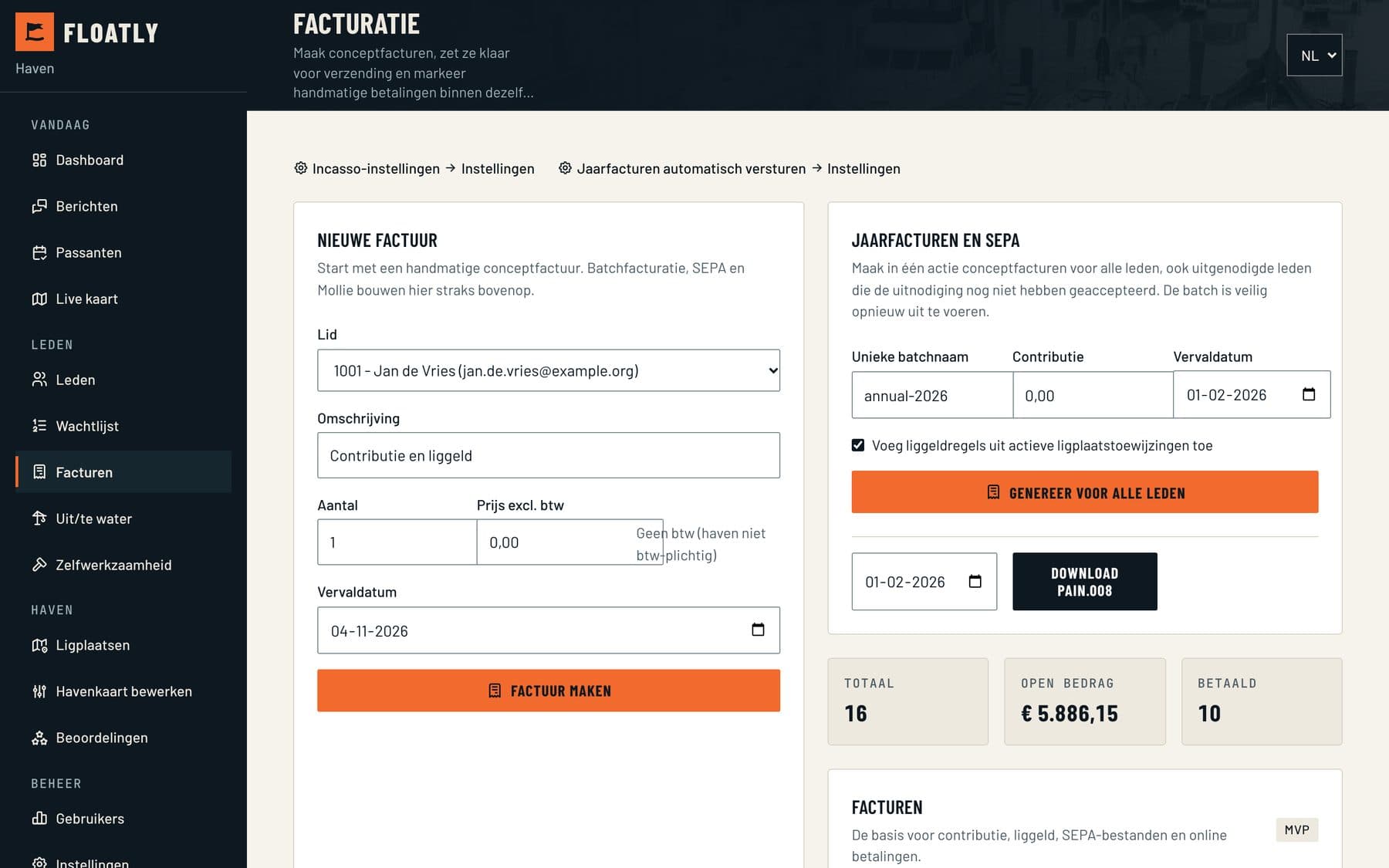
If you switch it on, Floatly creates the annual invoices for all members on 1 January and emails them with a payment link. Around 15 December the board first gets an email with the number of invoices and the total. You can do a trial run beforehand; it sends nothing.
05 / Messages
Member questions in the harbour inbox
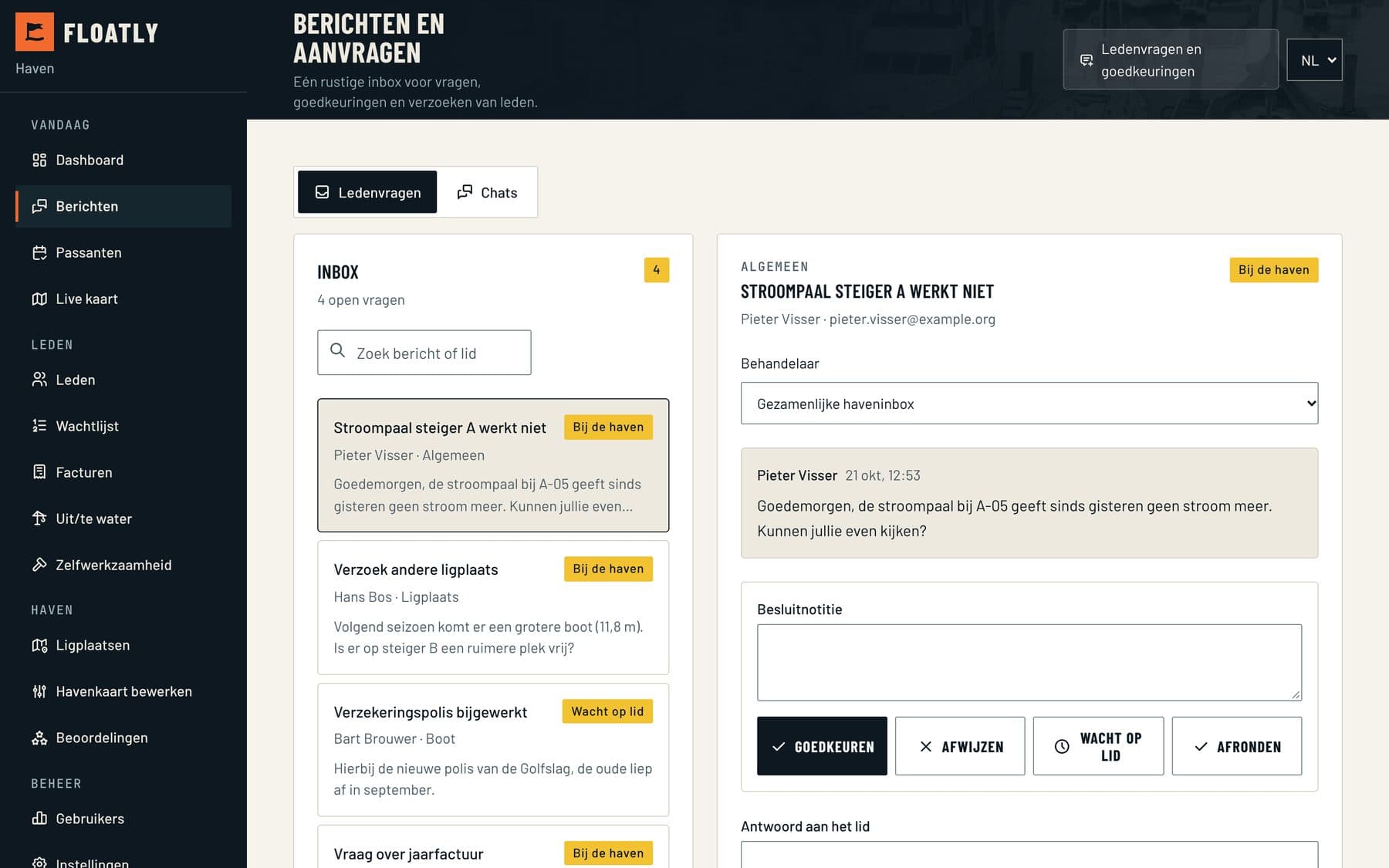
A power post that has stopped working, or a member looking for a bigger berth. Members send their question from their portal. In the inbox you assign someone to it and see what is still open.
Extra modules
They are ready for every harbour and only do something once you set them up. Don't want one? We switch it off. There is no extra charge.
- QR payment at the jetty
- A visitor scans the code at the berth, picks the nights and pays. No app or account needed. The harbour master sees the booking straight away.
- Release a berth while away
- Members who are away release their berth for visitors. If it gets rented, the member gets a discount on the next annual invoice. Skippers waiting for a full harbour get a message when a spot opens up.
- Volunteer work days
- Plan work days and let members sign up. Floatly counts the hours per season. Anyone who worked too few hours sees the buy-out on their annual invoice.
- Payment methods for foreign guests
- Besides iDEAL and cards also Klarna, MobilePay, Swish and Vipps, so guests from Germany and Scandinavia pay the way they are used to.
How you join
- 01
Find your harbour
Almost 1,000 Dutch marinas and clubs are already in Floatly. If yours isn't, you add it as a new harbour.
- 02
Fill in your details
Your name, your role at the harbour, your email address and a password. That's all.
- 03
We check the request
We check that you really apply on behalf of the harbour, so nobody else can claim it. You usually have access within one working day.
Why the check?
A harbour profile holds member details, bookings and payments. That is why someone at Floatly approves every request personally. It goes faster if you email from the harbour's own domain.
What it costs
There is no subscription and no price per berth. Work out below how much in payment costs is settled in your payout.
Floatly handles the payments
Members and visitors pay through Floatly and you get the amount paid out net. The payment costs are already settled, just like with a debit or credit card. Most goes to banks and payment providers, a small part to Floatly for the technology.

Find your harbour
Pick the harbour, then fill in your details.
See all harbours? Browse the overview by town.
Is your harbour not listed?
Then add it as a new harbour. That also works for harbours in Belgium, Germany, France and beyond.
Register a new harbourQuestions first? Read how Floatly works.
Marina management software for marinas and yacht clubs
Floatly is software for the berth administration, visitor registration, member administration and invoicing of a marina or boating club. On the harbour map the harbour master sees who is where, who arrives today and what has been paid.
Visitors book and pay themselves, with iDEAL, Apple Pay or card. That way the harbour collects its fees online, and Floatly pays them out to your own account. Members get their invoices for berth fees and membership by email, with SEPA direct debit if you want.
Getting started: find your harbour in the list, read in the member list and put the berths on the map. While you try it out, your current system can simply keep running.
Want to see how it works first? We'll show you in half an hour.
Or call +31 84 833 2141Frequently asked questions from marinas
What does Floatly cost a marina?
- There is no subscription and no price per berth. Payments from members and visitors run through Floatly and you get them paid out net. The payment costs are already settled, just like with a debit or credit card. Most of that goes to banks and payment providers, a small part to Floatly for the technology.
Does Floatly work for a yacht club run by volunteers?
- Yes. Floatly runs in the browser, so nobody has to install anything. Board members and the harbour master work in the same environment, each with their own permissions.
Does our data stay ours?
- Yes. You can always export your data and take it with you. Floatly runs under Protium.digital's ISO 27001 certification and follows the GDPR.
How fast can we go live?
- Usually within one working day of signing up. Visitors can then book the same day. You fill in the member list and the map at your own pace.